
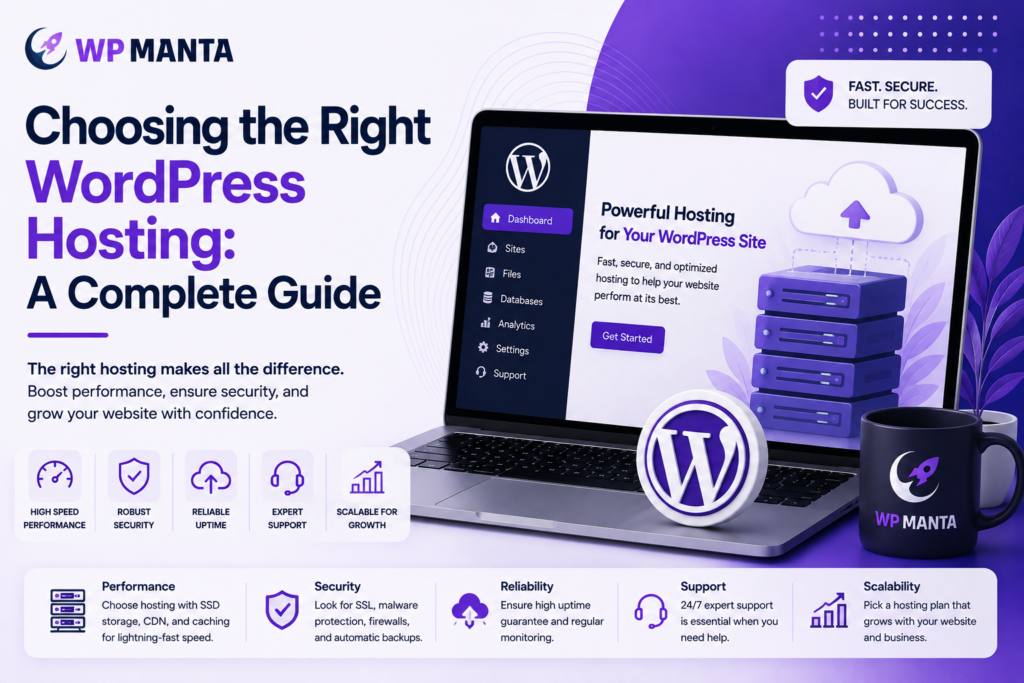
While WordPress powers over 40% of all websites, the performance, security, and reliability of the platform rely heavily on one decision that most site owners overlook: the hosting environment. WordPress hosting is not a commodity buy. The right host can impact page speed, uptime, search rankings, and the amount of time you spend troubleshooting rather than running your business. This guide explains what is important in selecting WordPress hosting and the role of continuous support services.
WordPress Hosting Is More Important Than People Realize
Generic web hosting is designed to host any kind of website, whether it be static HTML, PHP scripts, or different content material management systems. WordPress hosting, on the other hand, is optimized for WordPress’ architecture: PHP processing, MySQL databases, plugin execution, and theme rendering. WordPress optimized servers usually come with the following features:
- Built-in caching layers pre-configured for WordPress data structure
- Security rules at the server level to address common WordPress vulnerabilities
- One-click staging environments for safe testing of updates
- Automatic core, plugin and PHP version compatibility checks
A host that doesn’t offer these features may result in slower loading speeds, more security breaches, and a support team that doesn’t know much about WordPress.
Key Factors When Selecting a Host
- Server Location and Infrastructure: The closer the server is to your main audience, the faster the load times will be. By having data centers near your users and integrating with a content delivery network (CDN), latency is significantly reduced.
- Uptime Guarantees: Look for a service-level agreement (SLA) of at least 99.9% uptime. Any downtime, no matter how brief, means lost traffic, lost transactions, and lost trust from visitors and search engines.
- Security Infrastructure: Brute force attacks, malware injection, and outdated plugin exploits are common attacks against Security Infrastructure WordPress sites. A good host will offer firewall protection, malware scanning, SSL certificate management and automatic backups as standard – not as expensive extras.
- Scalability: As traffic increases, hosting resources should scale without a complete migration. Shared or budget WordPress hosting plans are generally less capable of dealing with traffic surges than cloud or managed WordPress hosting plans.
- Support Quality: The difference between a two-hour resolution and a two-day resolution can be whether the support team is WordPress-specific or whether they are dealing with generic hosting tickets on dozens of platforms.
Difference Between Managed Hosting and Shared Hosting
Shared hosting is a type of web hosting that hosts several websites, typically hundreds, on a single server, sharing resources such as CPU and memory. It is cheap, but the performance and security is only as good as the worst site sharing on that server.
Managed WordPress hosting separates resources, secures them for WordPress, and often provides automatic updates, backups, and performance monitoring. Managed hosting is usually a worthwhile investment for any business website, ecommerce store, or high-traffic blog. The benefits in terms of performance and security typically outweigh the cost difference due to reduced downtime, lost sales and emergency repair expenses.
How WordPress Care Plans Play a Part in the Equation
Having a website doesn’t mean it’s well-maintained. WordPress websites require constant care and attention even when they are built on a great infrastructure, such as core updates, plugin compatibility, security scans, and backup verification. This is where WordPress care plans come in.
A care plan typically bundles:
- Scheduled core, theme, and plugin updates with compatibility testing
- One-click restore and daily/weekly automated backups
- Security monitoring, malware scanning and firewall management
- Performance reports that monitor uptime and load times
- A support channel for troubleshooting and minor content updates
Care plans bring together hosting and maintenance into one point of accountability, rather than it being two separate concerns with different teams. This is especially important for companies that lack WordPress skills within their organization. The consequences of not updating plugins or having an unpatched vulnerability can be a hacked site, and a hacked site is much more expensive to recover from, both in terms of time and money, than a monthly maintenance fee.
The Role of a WordPress Speed Service
There are two direct impacts of page speed: user experience and search engine visibility. Google has announced that Core Web Vitals, which measure loading performance, interactivity, and visual stability, will be a part of search rankings. A slow site will lose visitors before they ever see the content, and even if they do see the content, it can rank lower even with good content and backlinks.
A dedicated WordPress speed service usually tackles:
- Compression and conversion of images to next generation formats (WebP, AVIF).
- A server and plugin level caching configuration is provided
- CDN setup to distribute content closer to users geographically
- Database cleanup, removing bloated revisions and orphaned data
- Minification of CSS, JavaScript, and HTML
- Identifying and fixing plugin conflicts that cause slow loading times
Optimizing speed is not a one-off thing. Sites slow down again over time as themes, plugins and content are added. Continuous speed monitoring and performance-optimized hosting ensure that load times remain steady and do not drop over time.
Design Support, Hosting and Maintenance
Hosting and maintenance keep a site running; design keeps it current. For businesses that need to make frequent changes to their websites, such as adding new landing pages, running seasonal promotions, or updating banners, unlimited web design services can be a valuable addition to their hosting and care packages. An unlimited design subscription allows you to access design work whenever you need it, without having to hire a designer for every request or learn how to build a design in-house.
It’s a great solution for companies that require regular updates but don’t have the quantity or finances to hire a full-time designer. It also keeps design changes aligned with the site’s performance and security standards, since the same team responsible for maintenance is often handling the design updates.
Making the Decision
There is no one-size-fits-all best host; it depends on the volume of traffic, technical resources, and the amount of hands-on management the business wants to do. Here are a few tips:
- For small blogs and low traffic sites, reliable shared or entry level managed hosting can be a good place to begin, and a simple care plan for updates and backups.
- Managed WordPress hosting offers excellent uptime SLAs, daily backups, and security monitoring, making it an ideal choice for business and e-commerce websites.
- Scalable infrastructure, real-time monitoring, dedicated speed optimization and priority support response times are required for high traffic or enterprise sites.
In each of the three, hosting is just one of the factors. These are all the elements of ongoing maintenance, speed optimization, and design that work together to ensure that a WordPress site remains secure, fast, and effective over time. When you consider these services in conjunction with your hosting decision, instead of as a standalone purchase, you’ll end up with a more stable, more effective website in the long run.